Merge Transform
Merge joins two datasets by one or more key columns, with either exact or fuzzy matching.
Basic Usage
Start by connecting the two inputs:
Merge requires exactly two directly connected parent nodes. They can be Data Input nodes or outputs from other transforms, and each must have a unique node name.
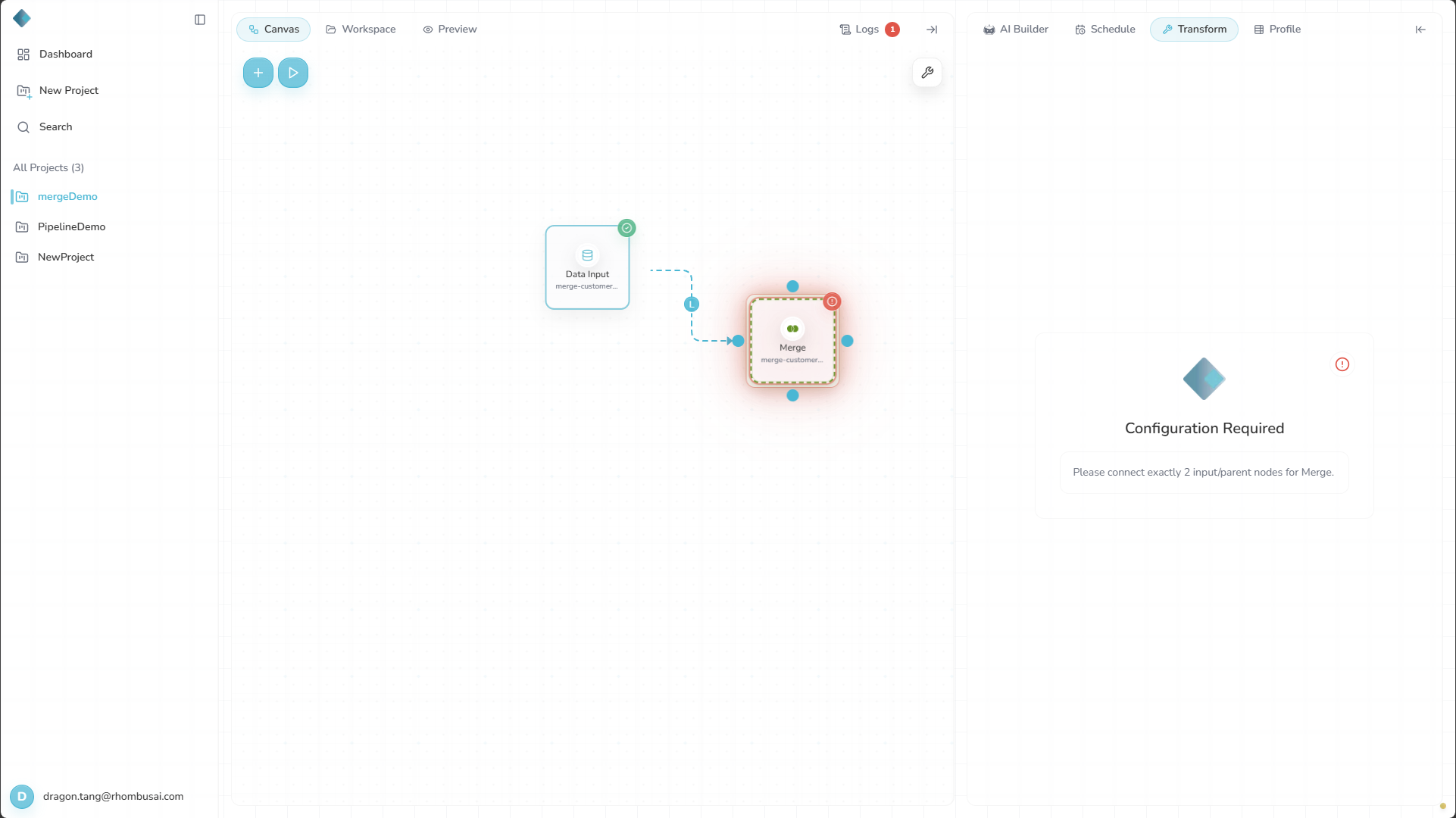
One input (invalid): With only one parent connected, Rhombus displays Configuration Required and asks you to connect exactly two inputs.
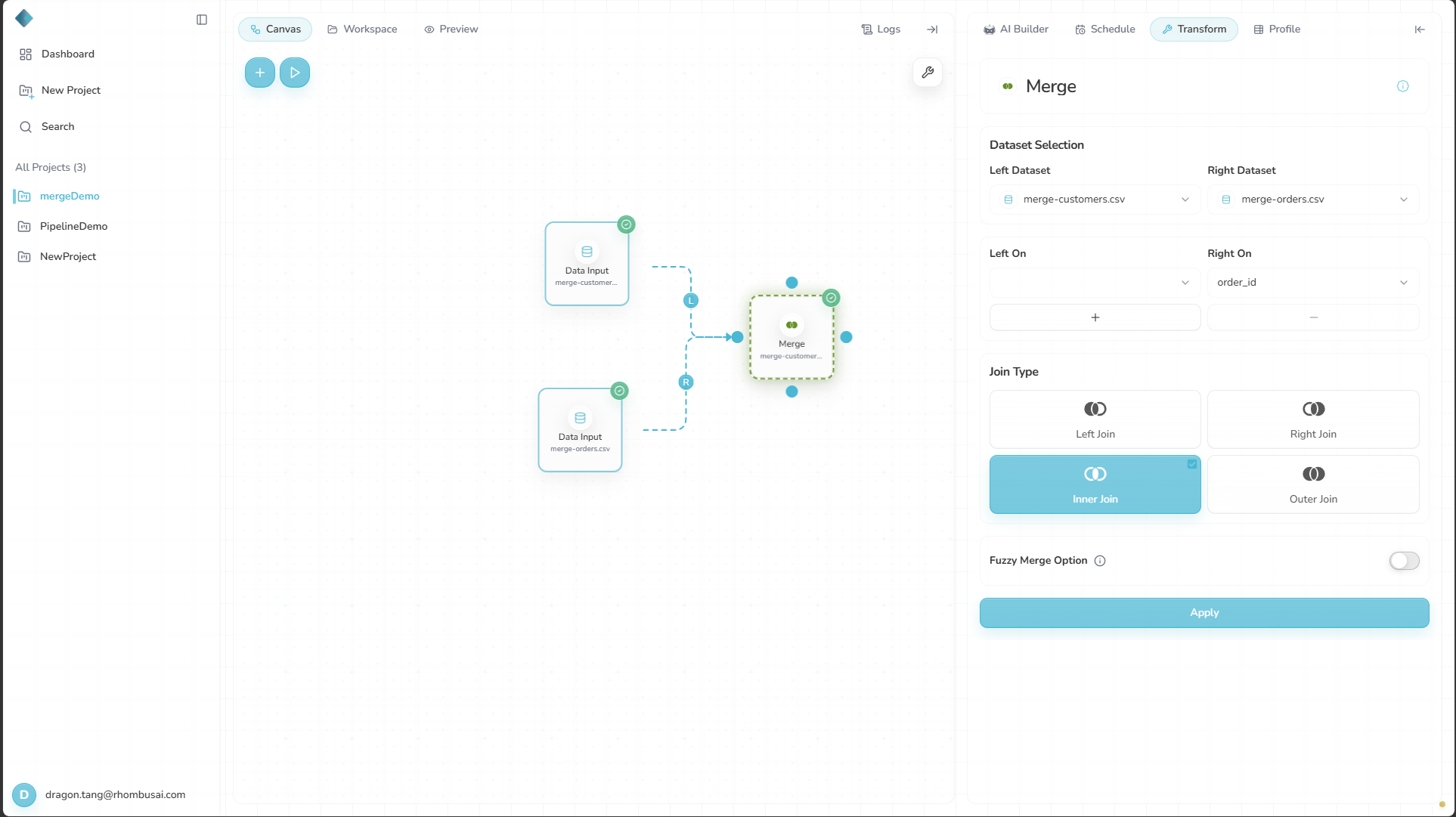
Two inputs (correct): Once two parent nodes are connected, the Merge configuration becomes available.
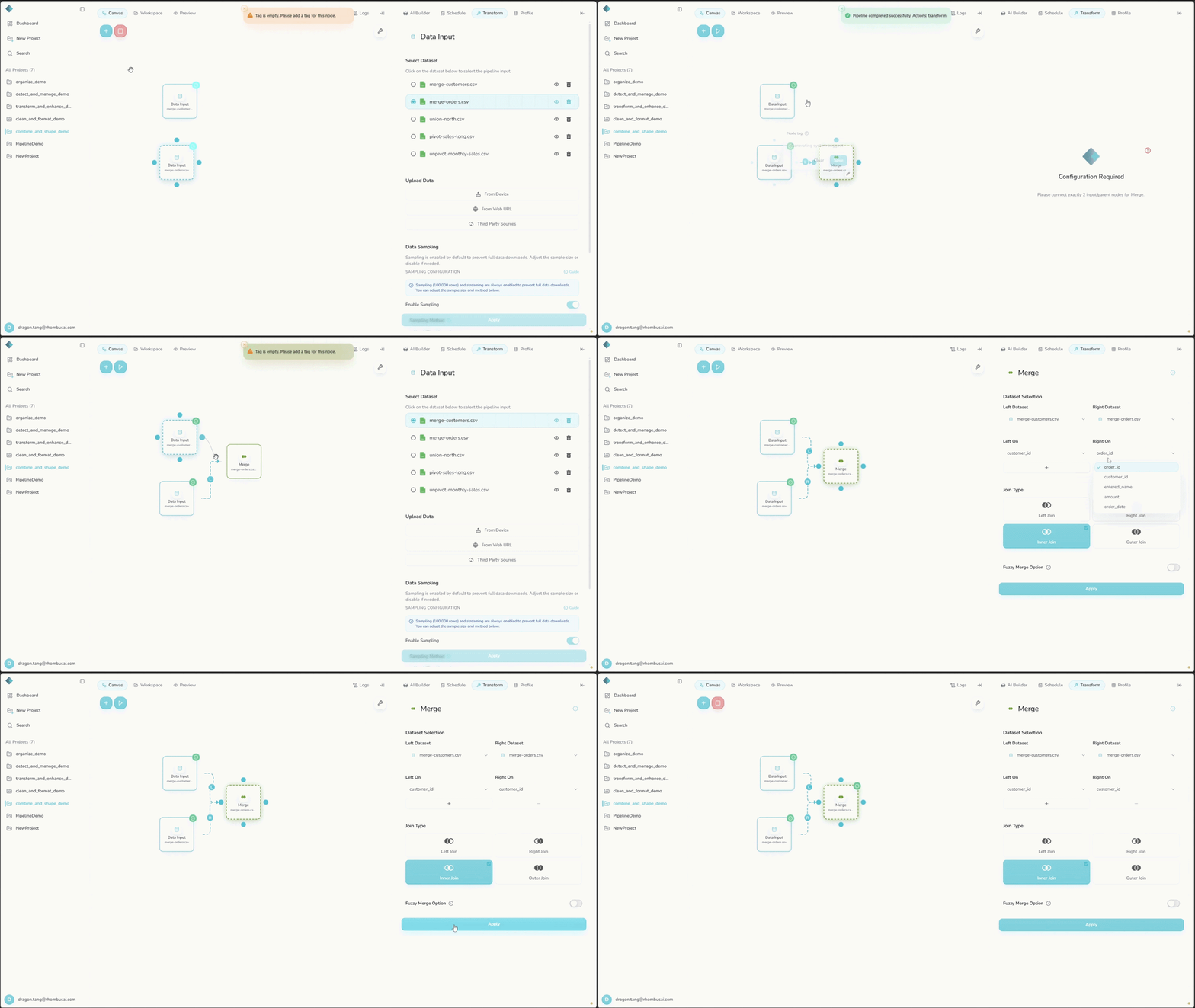
- Select Merge from the transform menu.
- Choose the two datasets to merge.
- Select the join columns for each dataset.
- Choose a Join Type.
- If needed, enable Fuzzy Merge and configure its settings.
Configuration Options
Basic Options
- Left On: Select the join key column or columns from the first dataset.
- Right On: Select the join key column or columns from the second dataset.
- Join Type: Choose which rows to include:
Inner: Keeps only rows whose keys match in both datasets.Left: Keeps every row from the left dataset and matching rows from the right.Right: Keeps every row from the right dataset and matching rows from the left.Outer: Keeps every row from both datasets and fills unmatched fields with nulls.
The join runs only after validation passes. For a non-fuzzy Left, Right, or Outer merge, each input needs at least one row with complete, non-null join keys. Merge samples complete keys from both inputs and stops if it finds no exact overlap. This means a non-fuzzy merge cannot join inputs with entirely disjoint keys.
Advanced Options
- Fuzzy Merge: Matches similar values that are not identical.
- Fuzzy Threshold: Set the similarity threshold from 0 to 100.
- Fuzzy Distance Method: Choose how string similarity is calculated.
New Merge nodes convert incompatible join-key data types when possible. This behavior has no control in the workflow UI.
Size Limits
- Each input must contain fewer than 10,000 rows.
- The estimated result cannot exceed the deployment's configured maximum row count. The default is 100,000 rows.
- Fuzzy Merge skips the exact-key overlap check, but both input and estimated-result limits still apply.
Fuzzy Merge
Fuzzy matching is useful when keys differ slightly, such as names with spelling or formatting variations.
Fuzzy Distance Methods
Click to see available fuzzy distance methods
- Ratio: Uses standard Levenshtein distance.
- Partial Ratio: Looks for matching substrings.
- Token Sort Ratio: Compares sorted lists of words.
- Token Set Ratio: Compares sets of unique words.
- WRatio: Accounts for string length and matching characters.
- QRatio: Offers a faster but less accurate alternative to WRatio.
- UWRatio: Provides a more accurate version of WRatio.
- Jaro: Accounts for similar characters and transpositions.
- Jaro-Winkler: Gives more weight to matches at the start of each string.
- Cosine: Compares vector representations of the strings.
- Hamming: Counts positions that differ in equal-length strings.
- Longest Common Substring: Finds the longest sequence shared by both strings.
- Bitap: Allows a limited number of differences while finding approximate matches.
- N-gram: Compares sequences of characters.
- Soundex: Compares names by pronunciation.
- Metaphone: Uses an improved phonetic comparison.
- Double Metaphone: Handles multiple pronunciations across languages.
Examples
Example 1: Basic Inner Join
Input Datasets:
Dataset 1:
| id | value1 |
|---|---|
| 1 | A |
| 2 | B |
| 3 | C |
Dataset 2:
| id | value2 |
|---|---|
| 2 | X |
| 3 | Y |
| 4 | Z |
Configuration:
- Left On:
id - Right On:
id - Join Type:
Inner
Result:
| id | value1 | value2 |
|---|---|---|
| 2 | B | X |
| 3 | C | Y |
Example 2: Left Join with Fuzzy Matching
Input Datasets:
Dataset 1:
| name | score |
|---|---|
| John | 85 |
| Mary | 92 |
| Michael | 78 |
Dataset 2:
| employee | department |
|---|---|
| Jon | Sales |
| Mary Ann | Marketing |
| Mike | IT |
Configuration:
- Left On:
name - Right On:
employee - Join Type:
Left - Fuzzy Merge:
Enabled - Fuzzy Threshold:
80 - Fuzzy Distance Method:
Jaro-Winkler
Result:
| name | score | employee | department |
|---|---|---|---|
| John | 85 | Jon | Sales |
| Mary | 92 | Mary Ann | Marketing |
| Michael | 78 | Mike | IT |
Try several thresholds and distance methods. Lower thresholds find more matches but also produce more false positives.
Fuzzy matching is computationally expensive. Use it only when exact matching is not enough, and reduce the input sizes where possible.