Handle Outliers Transform
Handle Outliers reads a mask created by Detect Outliers. It caps the marked numerical values or removes rows that contain them.
Basic Usage
To handle marked outliers:
- Run Detect Outliers first.
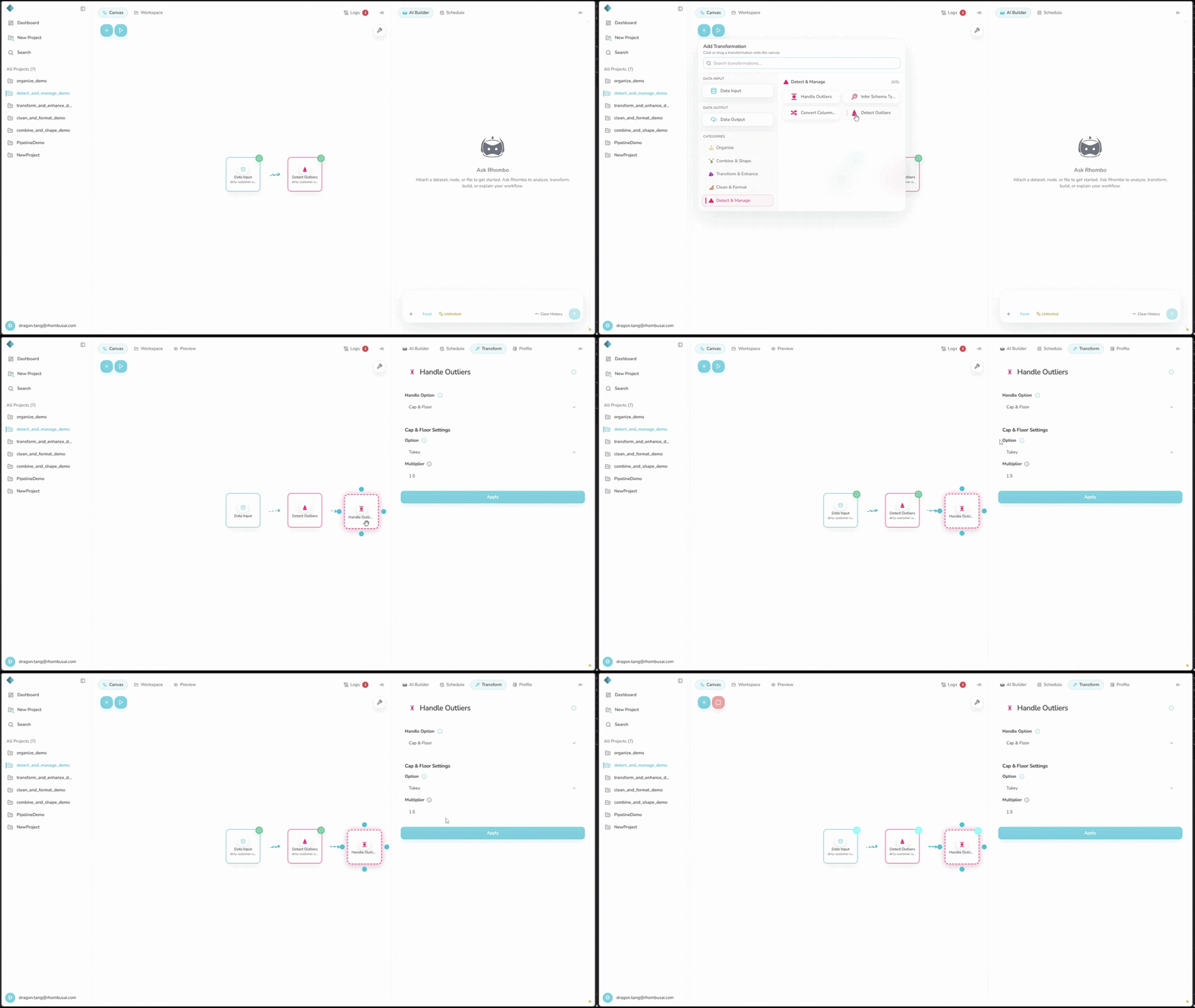
- Select the Handle Outliers transform from the transform menu.
- Choose a Handle Option.
- For Cap & Floor, choose a boundary method and set its options.
- Apply the transformation.
Handle Outliers changes only cells marked by an earlier outlier-detection step.
Configuration Options
Basic Options
- Handle Option: Choose how to handle marked values:
- Cap & Floor: Replace marked values with the calculated boundaries.
- Remove: Delete every row that contains a marked value.
Advanced Options
Cap & Floor exposes these settings:
-
Cap & Floor Settings: Choose how boundaries are calculated:
- Tukey's Method
- Median Absolute Deviation (MAD)
- Min-Max Method
-
Multiplier: Set the boundary multiplier used by Tukey's and MAD methods.
Handling Methods
Cap & Floor
Replaces each marked value outside the allowed range with the upper or lower boundary.
Use for: Keeping rows while limiting extreme values.
Remove
Deletes every row that contains a marked value.
Use for: Values known to represent invalid or irrelevant records.
Cap & Floor Methods
Tukey's Method
Uses the Interquartile Range (IQR) to set boundaries.
Use for: Data where the middle 50% is a useful measure of spread.
Median Absolute Deviation (MAD)
Measures variability around the median.
Use for: Skewed data, because MAD is less sensitive to extremes than standard deviation.
Min-Max Method
Uses minimum and maximum values as the boundaries.
Use for: Fields with strict valid bounds, such as percentages from 0 to 100.
Examples
Example: Capping Outliers in Sales Data
This example uses the mask from the Detect Outliers example: manual Z-Score detection on Sales with a threshold of 1.5.
Input Dataset (after outlier detection):
| Date | Product | Sales | Outlier |
|---|---|---|---|
| 2023-01-01 | A | 100 | False |
| 2023-01-02 | B | 120 | False |
| 2023-01-03 | A | 1500 | True |
| 2023-01-04 | C | 80 | False |
| 2023-01-05 | B | 110 | False |
Configuration:
- Handle Option: Cap & Floor
- Cap & Floor Settings: Tukey's Method
- Multiplier: 1.5
Result:
| Date | Product | Sales | Outlier |
|---|---|---|---|
| 2023-01-01 | A | 100 | False |
| 2023-01-02 | B | 120 | False |
| 2023-01-03 | A | 138.75 | True |
| 2023-01-04 | C | 80 | False |
| 2023-01-05 | B | 110 | False |
The unmarked Sales values are 100, 120, 80, and 110. Their first quartile is 95, third quartile is 112.5, and IQR is 17.5. With a 1.5 multiplier, the upper cap is 112.5 + (1.5 × 17.5) = 138.75, so 1500 becomes 138.75.
Best Practices
- Use domain rules to decide whether a marked value is invalid or merely unusual.
- Cap the value when the rest of the row is still useful. Use Remove only when deleting the entire record is justified.
- Record the boundary method and multiplier.
- Review the distribution and row count after handling.
Troubleshooting
- Too many values are capped: Adjust the Tukey's or MAD multiplier.
- Remove deletes too many rows: Use Cap & Floor instead.
- The result looks distorted: Check the new distribution for bias.