Remove Duplicates Transform
Remove Duplicates compares selected columns to find rows with the same values, then removes them according to the handling option you choose.
Basic Usage
To remove duplicate rows:
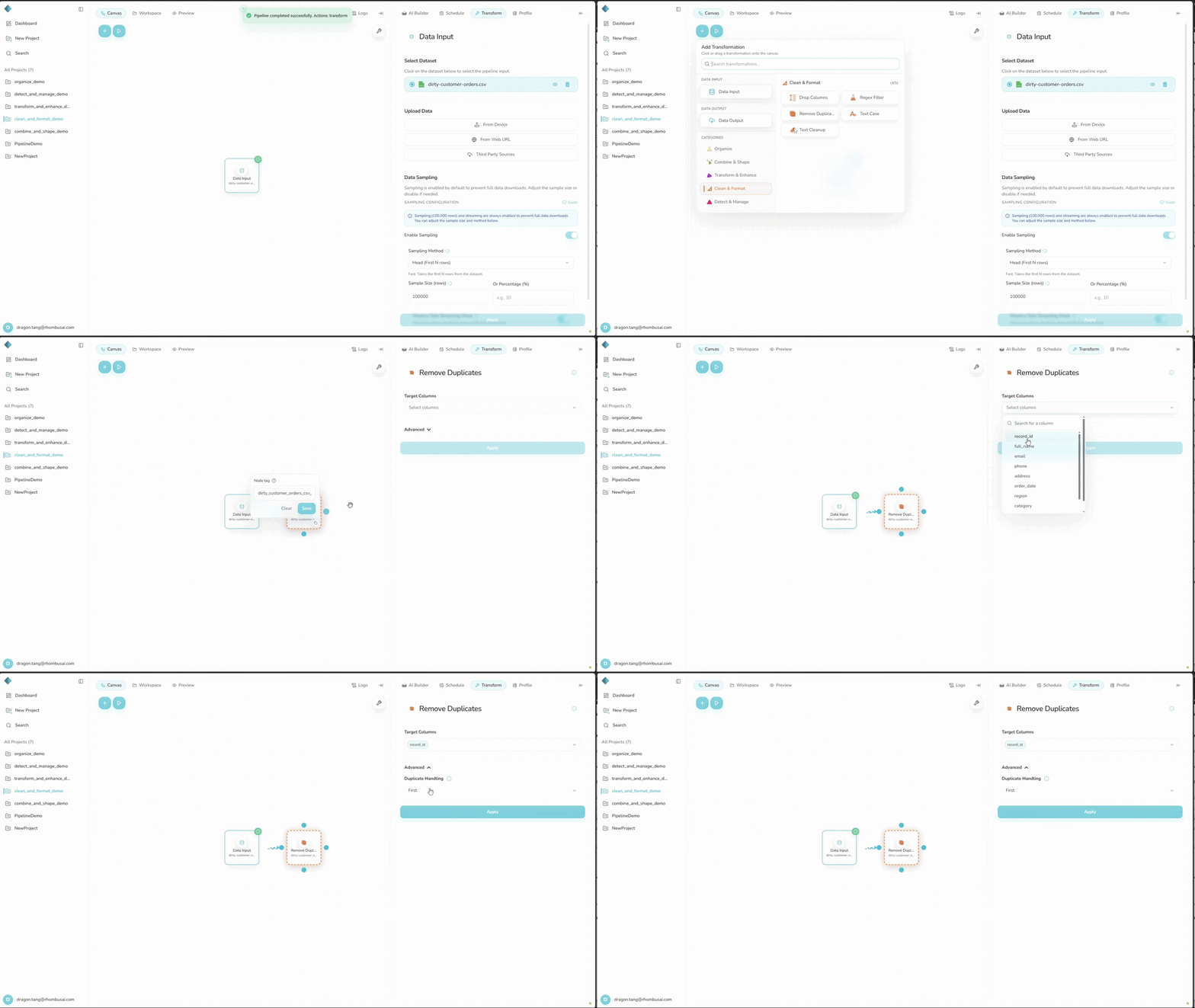
- Select Remove Duplicates from the transform menu.
- In Columns to Consider, select the fields that define a duplicate.
- Choose a Duplicate Handling option.
- Select Apply.
Configuration Options
Basic Options
- Columns to Consider: Select at least one column to compare. To compare entire rows, select every column explicitly. You cannot apply the transform while this field is empty.
Advanced Options
- Duplicate Handling: Choose what happens to each set of duplicate rows:
Keep First: Keep the first row in each duplicate set.Keep Last: Keep the last row in each duplicate set.Remove All: Remove every row in each duplicate set.
Examples
Example 1: Removing Duplicates Based on Specific Columns
Input Dataset:
| ID | Name | Age | City |
|---|---|---|---|
| 1 | Alice | 30 | New York |
| 2 | Bob | 35 | Chicago |
| 3 | Alice | 30 | Boston |
| 4 | Charlie | 28 | Chicago |
Configuration:
- Columns to Consider:
Name,Age - Duplicate Handling:
Keep First
Result:
| ID | Name | Age | City |
|---|---|---|---|
| 1 | Alice | 30 | New York |
| 2 | Bob | 35 | Chicago |
| 4 | Charlie | 28 | Chicago |
Example 2: Removing All Duplicates
Input Dataset:
| Product | Category | Price |
|---|---|---|
| Apple | Fruit | 0.50 |
| Banana | Fruit | 0.30 |
| Apple | Fruit | 0.50 |
| Carrot | Vegetable | 0.25 |
Configuration:
- Columns to Consider:
Product,Category,Price - Duplicate Handling:
Remove All
Result:
| Product | Category | Price |
|---|---|---|
| Banana | Fruit | 0.30 |
| Carrot | Vegetable | 0.25 |
Both Apple rows are removed because Remove All deletes every row in a duplicate set.
tip
Select only the columns that define a unique record. Incidental fields can make genuine duplicates appear different.
caution
This transform can remove many rows. Check the row count and a sample of the result before using it downstream.
Best Practices
- Normalize spelling, case, and whitespace before comparing text fields.
- Base
Keep FirstorKeep Laston the input order and which record should remain. - If the workflow is shared or audited, record which columns were compared.